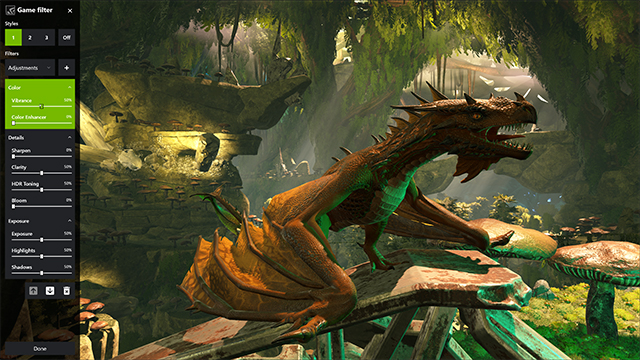
Wish your computer games to be brighter, more realistic and more colourful? Then just download the Nvidia Freestyle app. (NVIDIA Freestyle: Customize A Game’s Look In Real-Time)
1. Update the GeForce Experience (if you have one), then launch the game.
2. Press Alt+F3 to open the Game Filter sidebar. You can also press Alt+Z to open the GeForce Experience overlay and click Game Filter.
Source: Nvidia